
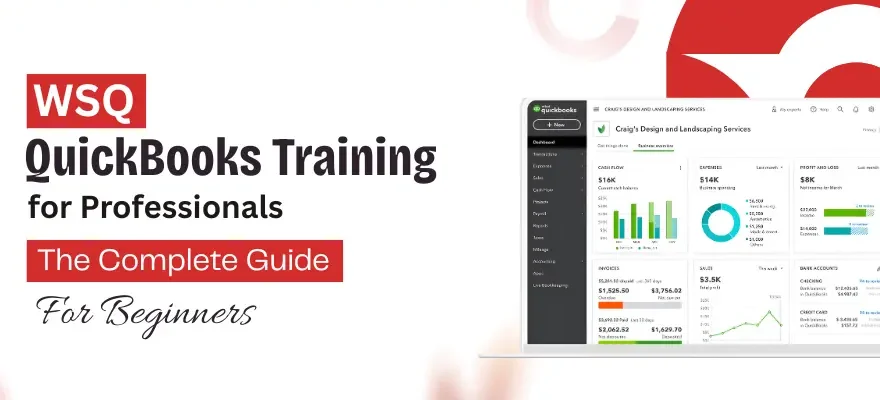



The WSQ QuickBooks Training for Professionals course follows a structured curriculum designed for learners who have no prior accounting software experience. Understanding how this course is structured for beginners can make the learning path clearer from the start. For those exploring training options in Singapore, these programs are built around practical platform skills rather than theory-heavy instruction.
One thing often stops capable people from registering: the word “Professionals" in the course name. It sounds like prior accounting knowledge or a finance background is required. It is not. This course was built specifically for individuals who are entirely new to accounting software. Admin executives, HR coordinators, sales support staff, and operations assistants with zero software experience regularly complete this training and apply these skills from week one. The course name simply refers to the workplace context, not the entry requirement.
Singapore’s commercial sector has shifted steadily toward cloud-based financial systems. Businesses that previously relied on manual ledgers and spreadsheet records now manage invoicing, bank reconciliation, and expense tracking through digital platforms. For students entering the workforce and professionals handling administrative roles, familiarity with these systems has become a standard workplace expectation rather than a bonus qualification.
No finance degree is required to begin. The software was built for business owners, admin staff, and operations teams who manage financial records without a dedicated accounting background.
Core Architecture of QuickBooks for Beginners
A complete guide for absolute beginners starts with understanding how QuickBooks organizes financial data differently from manual systems.
Traditional bookkeeping requires users to work through debit-credit entries, ledger columns, and manual balance checks. QuickBooks replaces this structure with a visual dashboard where transactions are categorized through plain-language labels rather than technical accounting terminology. A payment received does not require a manual journal entry. It is recorded through a clean interface that assigns it to the correct account automatically.
For those starting the course with no prior software experience, the platform layout follows a logical sequence. The dashboard displays live bank balances, outstanding invoices, and upcoming bills in a single view. Navigation menus are organized clearly by function, sales, expenses, banking, and reports so learners can locate the right section without prior software training.
Cloud access means the platform runs through a browser rather than a locally installed program. Financial data updates continuously, which removes the version control issues that come with desktop-based spreadsheet systems.
Practical Workplace Applications of Cloud Accounting
Understanding the software structure is one part of the learning process. The other part is knowing how it applies to actual office environments.
1. Operational Workflows vs Academic Theory
Academic accounting modules introduce concepts like journal entries, trial balances, and ledger structures. These are useful foundations, but the tasks that appear in actual office roles look different.
A finance support staff member in a Singapore SME is not handed a ledger sheet on day one. They are asked to raise an invoice before the end of the day, match last week’s bank transactions, or pull an expense report for the operations manager. These are software tasks, not theory tasks.
The course covers these exact workflows. Learners work inside the live platform, recording transactions, creating invoices, and running reports against actual datasets. Students who complete this structured training enter internships and entry-level roles already familiar with the daily tasks their employers need done.
2. Bookkeeping Dynamics in the SME Sector
Singapore’s commercial landscape is heavily populated by small and medium enterprises. Many of these businesses operate with lean admin teams where one or two staff members handle accounts payable, accounts receivable, payroll inputs, and monthly reporting at the same time.
QuickBooks prepares learners for exactly this kind of environment. The platform brings multiple financial functions into a single interface, which matches how SME admin roles actually operate. Staff are not managing separate systems for invoicing, expenses, and bank records. They are managing all of it from one dashboard.
3. Automated Reconciliation and Billing Cycles
Bank reconciliation is the process of matching a company’s internal transaction records against its actual bank statement to confirm accuracy. In manual systems, this is done line by line at the end of each month, a process that is slow and prone to human error.
QuickBooks handles this through an automated rules engine. Incoming bank feed transactions are sorted and pre-categorized before the user reviews them. Recurring transactions such as regular supplier payments, monthly subscriptions, and utility bills are assigned categories automatically once rules are set up. The user confirms or adjusts, rather than categorizing from scratch each time.
Technical Framework and Course Curriculum Structure
The WSQ QuickBooks Training for Professionals curriculum covers the full platform workflow from initial setup through to reporting outputs. The curriculum sequence follows a logical progression:
Company file setup and chart of accounts configuration
Customer and supplier record management
Invoice creation, payment recording, and accounts receivable tracking
Expense entry, bill management, and accounts payable workflows
Bank feed connection and reconciliation processes
Profit and loss reporting, balance sheet generation, and basic audit trail review
Under the national SkillsFuture framework: These programs use SFC-eligible credits and PSEA funding based on SSG eligibility criteria. Fee structures vary based on the applicant’s age group and citizenship status. Specific funding amounts depend on the individual’s credit balance at the time of registration.
Transitioning Skills for Working Professionals
Professionals already working in accounts payable, administrative coordination, or operations support roles often reach a point where their existing tools no longer match the systems their employers or clients use.
Legacy workflows built around spreadsheets and manual data entry create bottlenecks as transaction volumes grow. Errors accumulate across billing cycles, reconciliation takes longer, and reporting requires manual consolidation from multiple files.
QuickBooks addresses these gaps through automated error detection and structured data tracking:
Error Detection: Transaction entries are flagged immediately if they create balance mismatches.
Audit Trails: Generated automatically, recording every change made to a financial record.
Inventory Monitoring: Multi-tier tracking monitors stock movement, cost allocation, and purchase order matching within the same platform.
For those mapping out an industry transition, studying the WSQ QuickBooks Training For Professionals course helps master advanced audit trails and reporting structures that go beyond basic software familiarity. It covers the reporting depth that finance managers and operations leads expect from their support teams.
Summary of Learning Pathways
The WSQ QuickBooks Training for Professionals course covers the full range of platform functions, from company setup and transaction recording through to bank reconciliation, reporting, and audit trail management.
Learning the software is not about memorizing features. It is about understanding how financial data moves through a structured system, how a transaction entered on day one appears in a reconciliation report at month end, and how that report feeds into a profit and loss statement that reflects the actual state of a business.
For absolute beginners with no prior software experience, this structured curriculum provides a clear entry point into cloud accounting. For working professionals already in administrative or operations roles, the platform skills map directly onto the operational demands of Singapore’s SME sector and broader commercial environment.
 +65 8421 2824


 Chat With Us