
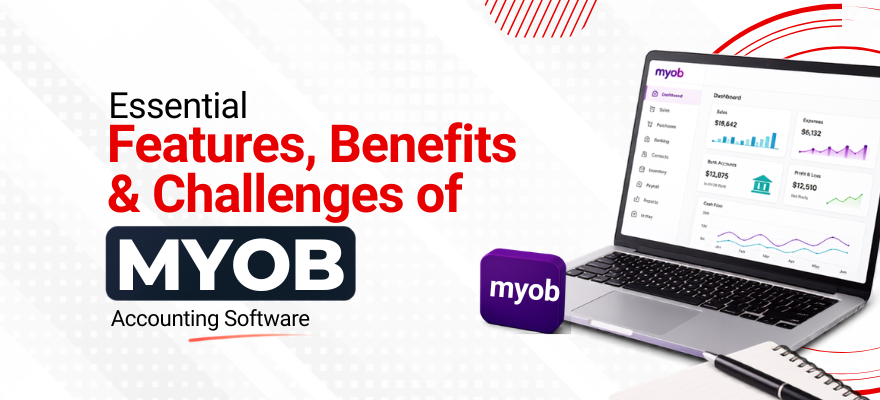



MYOB accounting software is a widely used financial management platform among businesses in Singapore, Australia, and New Zealand. It handles a broad range of accounting functions, from invoicing and payroll to tax reporting and inventory control. Business owners, bookkeepers, and accounting students all use this platform, though each group approaches it with different goals. Those new to the platform can start with the introduction to MYOB guide, which explains the software’s layout and basic navigation before moving into daily operations.
What Are the Features of MYOB Accounting Software?
The features of MYOB accounting software are built around the core tasks that businesses handle every month. A closer look at each function shows why the platform remains a common choice for accounting teams.
Invoicing and billing let businesses create professional invoices, apply GST where required, and send them directly to clients through email. Recurring invoice templates are useful for businesses with regular retainer clients or subscription-based services, since the system generates and sends these automatically on set dates.
Payroll management covers salary processing, CPF contributions, leave tracking, and tax deductions. For Singapore-based businesses, this feature calculates statutory contributions in line with current CPF rates, reducing the manual calculation work that payroll staff would otherwise handle each pay cycle.
Bank reconciliation connects to business bank accounts and matches recorded transactions with actual bank statement entries. When a transaction does not match, the system flags it for manual review, which helps catch duplicate entries or missed payments before they affect the books.
Inventory tracking monitors stock levels, cost of goods sold, and reorder points. Retail and wholesale businesses use this feature to avoid overstocking or running out of fast-moving products, since the system updates stock counts automatically with each sale or purchase entry.
Reporting tools generate profit and loss statements, balance sheets, cash flow statements, and GST reports. Accounting professionals rely on these reports during month-end closing and when preparing documents for IRAS filing or external audits.
Multi-currency support is available for businesses that deal with overseas suppliers or clients, allowing transactions to be recorded in different currencies with automatic conversion based on set exchange rates.
Together, these features make MYOB software capable of covering most day-to-day and month-end accounting tasks without needing separate tools for each function.
What Are the Benefits of Using MYOB Accounting Software?
The benefits of MYOB accounting software go beyond simply automating tasks. Several advantages stand out when businesses compare it to manual bookkeeping or spreadsheet-based systems.
Time savings come from automated calculations, recurring transactions, and bank feed integration. Tasks that once took hours, such as reconciling a month's worth of transactions, can be completed in a fraction of the time.
Accuracy improves because the software reduces manual data entry, which is one of the most common sources of bookkeeping errors. Built-in validation checks also catch mismatched entries before they affect financial statements.
Scalability allows the software to support a growing business. A company that starts with a handful of monthly transactions can continue using MYOB as transaction volume increases, without needing to switch systems.
Compliance support helps businesses stay aligned with GST filing requirements and other local tax obligations. This reduces the risk of penalties tied to late or incorrect filings.
Accounting professionals often explain why do accounting professionals use MYOB software by pointing to its balance between functionality and ease of daily use. Many build these skills through a structured MYOB training course, which covers system navigation, payroll setup, GST filing, and report generation using real business scenarios rather than theory alone. Courses of this kind are SFC-eligible and may qualify for PSEA funding, depending on individual eligibility.
What Challenges Do Businesses Face With MYOB Accounting Software
No accounting platform is without drawbacks, and MYOB accounting software presents a few challenges worth considering before adoption.
Learning curve. Users without prior accounting software experience often need time to understand the interface, particularly features like bank feed rules and payroll categories. This learning period can slow down daily operations during the first few weeks.
Initial setup complexity. Configuring the chart of accounts, tax codes, and payroll categories to match a specific business can take longer than expected, especially for businesses with non-standard accounting structures. Businesses can refer to the guide on setting up MYOB accounting software for a step-by-step walkthrough of this process.
Data migration. Moving historical records from spreadsheets or another accounting system into MYOB sometimes results in formatting mismatches or incomplete entries if the migration is not planned carefully. Businesses switching from manual bookkeeping in particular need to verify opening balances closely after migration.
Ongoing subscription cost. Unlike a one-time purchase, MYOB operates on a subscription model, which means businesses need to budget for recurring software costs as part of their operating expenses.
Occasional software updates. Periodic updates can change menu layouts or add new features, which sometimes requires users to relearn parts of the interface they were already familiar with.
These challenges are manageable with proper training and a clear setup plan, but they are factors businesses should weigh before fully committing to the platform.
Is MYOB Accounting Software Suitable for Small Businesses and Professionals
For many small and medium businesses, MYOB offers a practical balance between functionality and complexity. It handles invoicing, payroll, and reporting without requiring a dedicated IT team, which makes it accessible for businesses that manage their own books internally.
Accounting students and working professionals also use MYOB to build practical, job-ready skills. A finance student comparing MYOB with other platforms will often find it useful for understanding real-world bookkeeping processes, particularly since many Singapore-based small and medium enterprises already use this system for daily operations. Professionals already working in bookkeeping or accounts roles often pick up MYOB training specifically because employers list it as a required skill in job postings.
Conclusion
MYOB accounting software brings together invoicing, payroll, bank reconciliation, inventory tracking, and reporting in a single platform. Its benefits, including time savings, improved accuracy, and compliance support, make it a practical choice for many businesses. At the same time, its challenges, such as the learning curve and setup complexity, are worth planning for in advance. Businesses and professionals considering this software can review the basics through the introduction to MYOB and follow the practical steps in setting up MYOB accounting software to begin using the platform with confidence.
 +65 8421 2824


 Chat With Us