
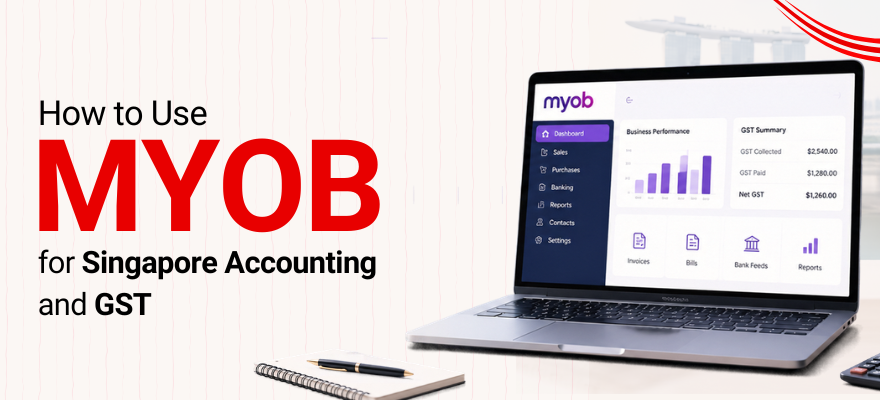


A note on naming: this guide uses “MYOB" where it matches how people actually search and “ABSS" when referring to the current Singapore software interface or documentation. Menu paths below reflect the ABSS interface and may look slightly different depending on your software version.
MYOB/ABSS can help Singapore businesses record sales, purchases, expenses, bank transactions and GST-related information in one accounting software system. But the software doesn't do the thinking for you. Getting it right still comes down to understanding basic bookkeeping and how Singapore GST treatment actually works.
This guide walks through how to use MYOB for Singapore accounting in practice, covering setup, day-to-day entries, bank reconciliation and GST reporting, in the order a bookkeeper would actually work through them. If you're exploring broader accounting skills beyond MYOB itself, our accounting course in Singapore covers the concepts that sit underneath any software platform.
How Does MYOB Accounting Work in Singapore?
Using MYOB/ABSS for Singapore accounting and GST generally comes down to four recurring steps: setting up the chart of accounts and the correct GST tax codes, recording sales and purchases as they happen, reconciling bank transactions against the general ledger, and reviewing GST reports before filing.
None of these steps are complicated in isolation. The difficulty usually shows up when they're applied inconsistently, a tax code is set up correctly at the start but never rechecked, or reconciliation is left until period-end instead of done regularly. The sections below cover each step in enough detail to actually work through it.
This guide is written for beginners, business owners, administrative staff and anyone learning how MYOB fits into everyday Singapore accounting and GST work. If you've never touched the software before, or you've used it but never felt fully confident about the GST side, this covers both.
What You Need Before Starting
A few things worth having ready before you open MYOB and start entering real transactions:
A basic chart of accounts, even a simple one
Business, customer and supplier information
The relevant invoices and receipts for the period
Bank records to reconcile against
GST registration details, if the business is registered
A basic understanding of which GST tax codes apply to which transaction types
Having these ready before setup saves a lot of backtracking later.
Setting Up GST Tax Codes and Chart of Accounts
What you do: Configure the chart of accounts and confirm the Singapore GST codes are set up and linked correctly before entering any real transactions.
Why it matters: An incorrect tax code at this stage tends to carry through into every report pulled later. Fix it early, and it's a five-minute correction. Fix it after three months of transactions, and it's a much bigger job.
The standard IRAS-aligned codes most Singapore businesses configure include standard-rated supplies (SR, at the current 9% rate), zero-rated supplies (ZR), and taxable purchases (TX), along with any exempt or reverse-charge codes relevant to the business. The correct code depends on the type of transaction taking place, not just the GST rate involved, so the rate alone shouldn't be the deciding factor when choosing a code.
What to check: Exact menu names can differ slightly by software version, so if your screens look different from what's described here, check the ABSS help documentation for your specific release before assuming something's set up wrong.
Common mistake: Applying a local sales tax code to an international invoice, or the other way round, simply because the two transaction screens look similar at a glance. Running a handful of test entries after setup, before processing real transactions, tends to catch this early rather than three months in.
How to Record Sales and Output Tax in MYOB
What you do: Enter sales through the Sales command centre, typically along a path like Sales → Enter Sales, applying the correct tax code and payment terms at the point of entry.
Why it matters: These fields don't always default correctly, particularly for customers or products that were set up before a tax code changed. A missed or wrong code here doesn't just affect one invoice; it feeds straight into the GST report later.
Example: A business sells a service for $1,000. GST at 9% adds $90, bringing the total invoice to $1,090. Entered correctly, the $1,000 goes to revenue, the $90 goes to output tax, and the invoice total matches what the customer actually pays.
Common mistake: Selecting the wrong tax code out of habit, especially when a customer or product was originally set up under an older rate or classification and never updated.
How to Record Purchases and Input Tax in MYOB
What you do: Purchases and supplier bills follow a similar structure on the accounts payable side, where the input GST on each bill needs to be mapped to the correct code for it to show up properly in the GST report.
Example: A business receives a supplier bill for $500. GST at 9% adds $45, for a total of $545. Whether that $45 of input tax can actually be claimed depends on the applicable GST rules for that type of expense, not simply on the fact that GST appears on the invoice.
Why it matters: Claimability isn't automatic. Certain categories of expense have restrictions, so the tax code selected needs to reflect what the purchase actually is, not just what rate is printed on the bill.
Common mistake: Assuming every GST amount on a supplier invoice is automatically claimable input tax, without checking whether that specific expense category qualifies.
How to Reconcile Bank Transactions in MYOB
What you do: Compare the transactions sitting in MYOB against the actual bank statement, line by line, matching each one.
Why it matters: This is usually where entry errors surface: a payment recorded under the wrong account, a duplicate entry, or a transaction that never made it into the system at all. A difference between the two records almost always points to one of these, rather than being a sign the software itself is wrong.
What to check:
- Missing transactions that appear on the bank statement but not in MYOB
- Duplicate entries recorded twice
- Incorrect amounts that don't match the bank line
- Bank charges that were never entered
Example: MYOB shows a $1,000 payment. The bank statement also shows a $1,000 payment on the same date. They match, and that transaction is reconciled. If the bank shows a payment that isn't in MYOB at all, that's the signal to go find out why.
Common mistake: Saving reconciliation for period-end instead of working through it regularly. Discrepancies are much easier to trace when they're a few days old rather than three months old.
How to Review GST Reports Before IRAS Filing
What you do: Once transactions for the period are entered and reconciled, pull the GST report through a path along the lines of Reports → Index to Reports → Banking/Tax → GST Information. Exact menu labels can vary slightly between software versions.
Why it matters: Before submitting the return through myTax Portal, the figures in the GST report need to be checked against the underlying sales and purchase records. A mismatch here usually points to a mis-coded transaction somewhere in the period, not an error in the report itself.
What to check before closing the period: Confirm the GST report figures, the bank reconciliation, and the general ledger all agree before the period is closed off. Closing too early, before reconciliation is finished, tends to create more correction work later than it saves.
Common mistake: Treating the GST report as automatically correct because the software generated it. The software organises what was entered; it doesn't verify that every transaction was coded the way it should have been.
Top MYOB GST Bookkeeping Mistakes to Avoid
A few areas tend to trip up even experienced bookkeepers once real business data is involved:
- Multi-currency transactions, where exchange rate handling and the timing of rate updates can affect the figures that end up in reports
- Inventory location tracking and stock adjustments, particularly for businesses running more than one warehouse or outlet
- Unbalanced trial balances are caused by incorrect linked accounts, which can be difficult to trace back to the original setup error once it's buried under months of transactions
None of these are reasons to avoid the software. They're just the areas worth double-checking as a business's setup gets more complex.
For a fuller picture of what MYOB/ABSS can and cannot do out of the box, our breakdown of MYOB software features covers the wider feature set this workflow sits within.
Do You Need Accounting Knowledge to Use MYOB?
Yes. Basic accounting knowledge makes MYOB genuinely easier to use, not just in theory but in the actual day-to-day entries. The software can organise, calculate and report on the transactions entered into it, but it can't tell you whether a purchase should be coded as an expense or an asset, or whether a particular sale qualifies for a zero-rated GST treatment. That judgment still sits with the person entering the data.
This is really where a lot of MYOB frustration comes from, not the software being difficult to click through, but not having a solid enough grip on the accounting concepts behind each screen. Our accounting fundamentals course covers exactly that groundwork, the accounting equation, financial statements and double-entry concepts, so the software makes more sense once you're using it.
Is MYOB Enough for Singapore GST Filing?
MYOB can calculate and organise GST-related amounts based on the transaction and tax code entered, and it can generate the reports needed to prepare a GST F5 return. What it can't do is guarantee that every transaction was coded correctly in the first place. The user remains responsible for selecting the appropriate GST treatment for each transaction.
Put simply, the software automates the processing. It doesn't replace GST judgement. For most straightforward Singapore SMEs, MYOB is enough to manage day-to-day accounting and prepare accurate GST reports, provided the setup and ongoing coding are done correctly. Businesses with more complex arrangements, multiple entities, cross-border transactions, or unusual supply types may still want an accountant to review the figures before filing, particularly around setup and at year-end.
MYOB vs. Xero vs. QuickBooks for Singapore Businesses
MYOB isn't the only option Singapore businesses use, and it's worth knowing roughly where it sits relative to the alternatives, without turning this into a full software comparison.
Xero takes a more visual, streamlined approach to the same core tasks: invoicing, reconciliation and reporting. Our Xero accounting course covers how it's used in practice.
QuickBooks extends further into broader financial data management alongside the same transaction handling. Our WSQ QuickBooks Accounting Training Course covers its day-to-day workflows.
Which platform fits best usually comes down to what a business's accountant already works with or what's common in a particular industry, more than any one platform being objectively better across the board.
Practical MYOB Bookkeeping Workflow
Working through tax code setup, daily entries, reconciliation and GST reporting in that order, rather than jumping between them as issues come up, gives you a repeatable workflow that holds up across a full reporting period. None of the individual steps are difficult on their own. The challenge is applying them consistently, period after period, rather than only when something's already gone wrong.
If you want guided practice with the tasks covered in this guide, working through them in a structured setting rather than figuring it out on live company data, our MYOB training in Singapore course covers these exact workflows in a learning environment.
 +65 8421 2824


 Chat With Us