
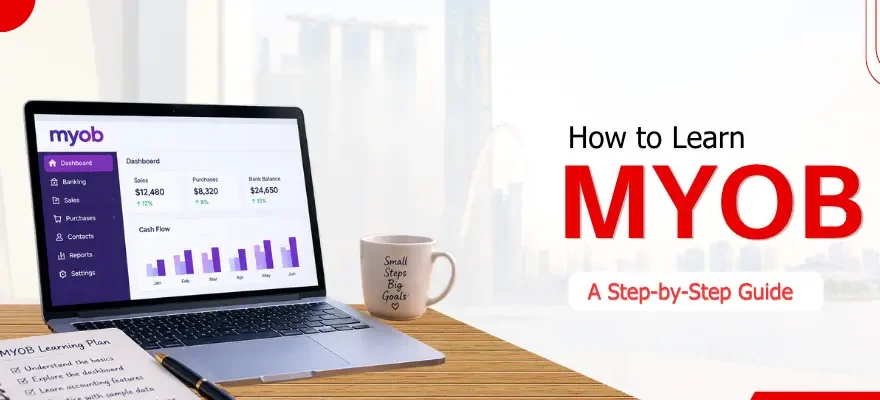


How to learn MYOB is mostly a question of order. The software gets used in a fairly fixed sequence: open the file, set it up, handle the bank, record sales and purchases, sort out GST, then close the period. People who start with invoices and leave the setup for later usually end up redoing work.
The Singapore edition of MYOB is now called ABSS, though most people still search for the old name, so this guide uses both. It is meant for business owners, admin staff, bookkeepers and students, and each step points to a more detailed article.
MYOB Learning Path at a Glance
These times are rough. They shift with how much accounting you already know and how much practice data you have.
What Is MYOB (ABSS) and Who Uses It in Singapore?
MYOB is accounting software for small and medium businesses. In Singapore it is sold as ABSS, which used to be called MYOB Singapore. It handles sales, purchases, banking, inventory, GST reporting and multi-currency work, and some versions add job costing and multiple warehouses.
You will mostly find it in SMEs that keep their own books or use a part-time bookkeeper, and in accounting firms that look after those clients. Anyone still deciding whether it fits a business can read through the benefits of MYOB first.
What Accounting Basics Should I Know Before Learning MYOB?
Finding your way around the software doesn't take an accounting background, but the screens assume you know a few terms. Four of them cover most of what you will meet:
- Debits and credits. Every entry has two sides. MYOB builds the second side for you, but you need to understand it when a report looks wrong.
- The accounting equation. Assets equal liabilities plus equity, which is why a balance sheet balances.
- Chart of accounts. The list of accounts that transactions are posted to. Picking the right one is your job.
- Trial balance. A list of every account balance, used to check setup, month-end and year-end.
If these are new to you, a bookkeeping and accounting course is a common way to pick them up before opening the software or alongside it.
Step 1: Get to Know the MYOB Screen
Start with the layout and leave transactions for later. The home screen has a menu bar across the top and a row of command centres below it: Accounts, Banking, Sales, Purchases and Card File, plus a few more depending on your version. Each one opens a flowchart of the tasks in that area.
Click through each command centre once without entering anything. There is a video walkthrough of the home screen in the introduction to MYOB, which makes a good first session before you touch real data.
Step 2: Set Up Your Company File
Setup is the step people rush, and it causes the most trouble later. It covers creating the company file, choosing your conversion month (the month you start entering transactions), building the chart of accounts, checking the GST tax codes, entering opening balances and reviewing linked accounts.
Two mistakes come up often. The conversion month usually can't be changed once the file exists, so choose it with care. And the opening balances have to match the trial balance you are starting from, otherwise every report built on them will be off.
Each stage is covered with an example in how to set up MYOB. If you can, practise on a sample file first.
Step 3: Learn Banking Tasks
Daily activity starts in the Banking command centre. Three functions do most of the work: Spend Money for payments, Receive Money for cash coming in, and recurring transactions for payments that repeat, such as rent.
Here is how a typical entry goes. A business pays $109 for office supplies. In Spend Money you pick the bank account, enter the date and amount, allocate it to the supplies account and apply the GST code. At 9%, $9 of the payment is GST and $100 is the expense. If the same payment happens every month, save it as a recurring entry.
The banking command centre in MYOB is shown screen by screen, with a video. Get comfortable with these three functions before moving on, because bank reconciliation in Step 5 depends on them.
Step 4: Sales, Purchases and GST
With banking in place, the next piece is the document flow. Sales usually run from quote to order to invoice to receipt, and purchases from purchase order to bill to supplier payment. Few small businesses use every stage, and many go straight to invoice and bill.
GST sits on top of this. The usual Singapore codes are SR for standard-rated sales, ZR for zero-rated sales and TX for taxable purchases. Take a service billed at $2,000: GST at 9% adds $180, the invoice total is $2,180, and the $180 is recorded as output tax. The code on each line decides how the GST report looks later.
Entering these transactions and reviewing the report before filing is covered in using MYOB for Singapore accounting and GST. This is the step that takes longest to learn, so give it real time.
Step 5: Reconciliation, Reports and Year-End
By now you are entering transactions, and this step is about checking the figures.
Bank reconciliation compares MYOB with the bank statement. Do it monthly at least. A difference is usually a missing entry, a duplicate or a wrong amount, and only rarely a software fault.
Reports come next: profit and loss, balance sheet, trial balance and the GST report. Make sure they agree with each other before relying on any of them.
Year-end is a deliberate step and doesn't happen by itself. Before closing, enter every transaction dated in the year, reconcile the bank accounts and wait for any adjusting entries from your accountant. Then make a backup and restore it once to confirm it works. The closing is usually run from the File menu under Start a New Year, although the wording varies by version. It moves the year's profit or loss into retained earnings and turns the monthly totals into last-year figures. Detail removed during closing can usually only be seen again by restoring the backup, so don't skip that step.
How Long Does It Take to Learn MYOB?
Someone who already keeps books can usually get through the screen, setup and one full cycle of transactions in a few days of focused practice. Someone new to accounting should plan for longer, mostly because of the accounting rather than the software.
Is MYOB easy to learn? The interface is plain and the flowcharts help. What takes time is judgment: coding transactions correctly, reading reports and tracing why something won't reconcile. A few monthly cycles on sample or real data, with someone checking your work, build more confidence than reading alone.
What a 3-Day MYOB Programme Typically Covers
An entry-level programme generally spends the first day on setup and opening balances, the second on daily sales, purchases, banking and GST, and the third on year-end, multi-currency and user security. That is the outline of the MYOB training course in Singapore, and other providers cover similar ground. Checking your own learning against a list like this shows what is still missing.
 +65 8421 2824


 Chat With Us
